Confidential export
One note, several deliverables: a full internal version, and a version per audience — a client, a partner — from which the passages marked for your team are removed before the PDF is rendered. They are never hidden under a black box: the text is not in the file at all, nor in its table of contents, links or metadata.
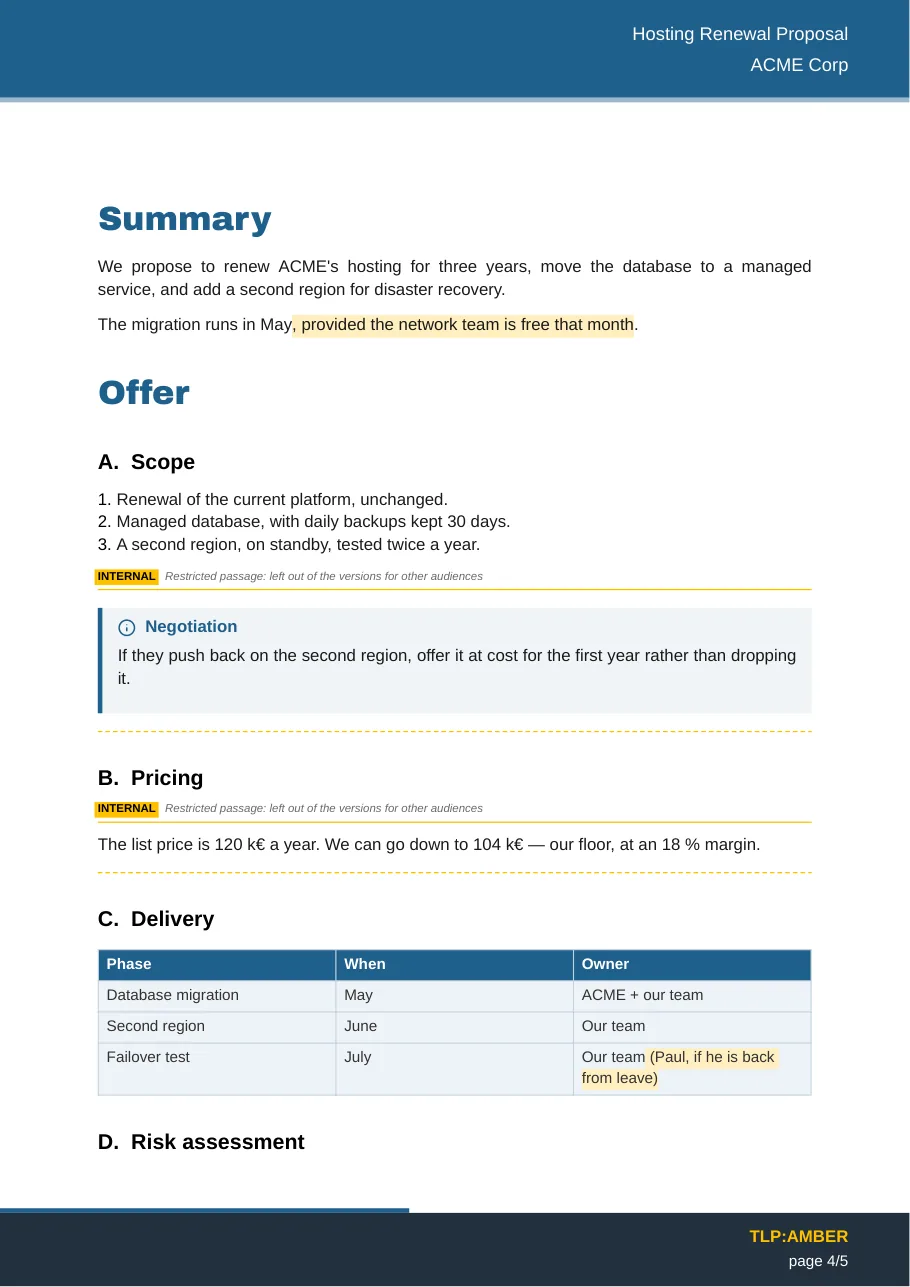
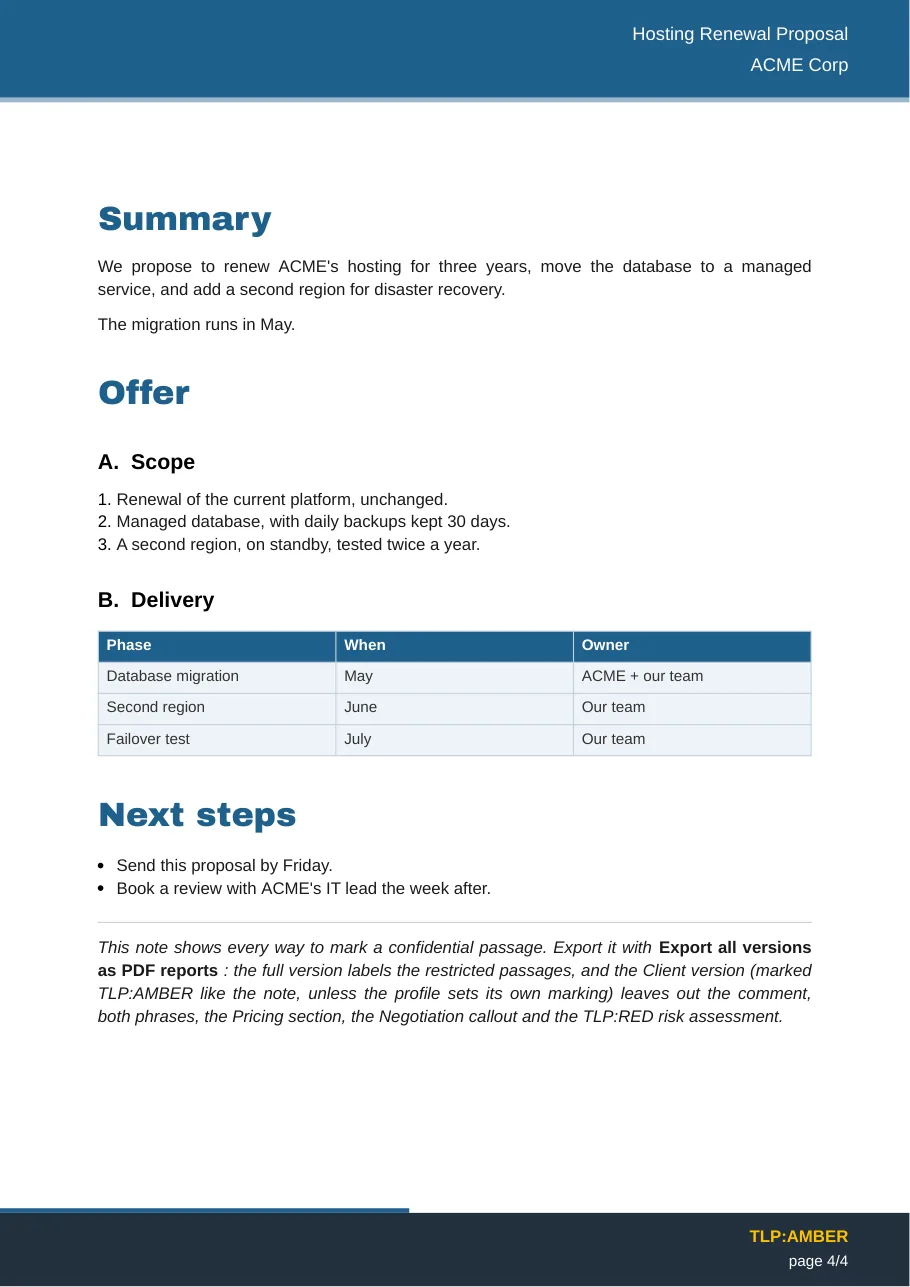
Mark what must stay internal
| Scope | In the note |
|---|---|
| Whole note | audience: internal in its frontmatter |
| Section | ## Pricing %%internal%% — the heading and everything under it, down to the next heading of the same or a higher level |
| Block | > [!internal] Negotiation — the callout, its nested quotes, and the lines that continue it |
| Phrase | <span data-audience="internal">12 %</span> |
| By TLP level | ## Sources %%tlp:red%%, <span data-tlp="red">…</span>, or tlp: red in the frontmatter of an embedded note |
In Obsidian, [!internal] callouts show in orange with a lock, and marked phrases with a dotted underline, so you see what is restricted while you write.
## Pricing %%internal%%

The list price is 120 k€ a year. We can go down to 104 k€.

## Delivery

| Phase | Owner |
| --- | --- |
| Failover test | Our team<span data-audience="internal"> (Paul, if he is back)</span> |
Export the versions
- Export as PDF report produces the full version — unless the note names a profile with
profile: Client. - Export as PDF report with a profile… asks which version to produce.
- Export all versions as PDF reports writes the full version and one file per profile:
Proposal.pdf,Proposal-client.pdf…
After each restricted export, a notice says what was removed, for example Profile "Client": removed 2 sections, 1 block, 2 phrases.
Profiles and levels
Settings → Report Exporter → Confidential passages:
- Audience levels:
internalby default; add your own (management,board…). A passage marked with several levels leaves only in a version that keeps all of them. - Profiles: for each audience, the levels it keeps, the suffix added to its file name, whether a [passage removed] mark shows where something was cut, and its TLP marking. A Client profile that removes every marked passage is created on first install.
- Show restricted passages: in versions that keep them, label where each restricted section, callout or embedded note starts and ends, and highlight marked phrases.
- Log restricted exports: add a line per restricted export to a PDF export log note — which note, which file, what was removed (counts only, never the text).
TLP levels
A passage marked with a TLP level stays only in versions marked at least as strictly. A profile's marking is its own TLP setting, else the note's tlp:; with neither, the version counts as TLP:CLEAR and every TLP-marked passage goes. The full version keeps everything.
Safety rules
- Removed before rendering. Marked passages are cut from the Markdown before the PDF engine sees it — images, diagrams and links inside them are never even loaded.
- Fail closed. An unknown level (
audience: internl,%%tlp:rouge%%) or a marked phrase whose</span>is missing stops the export with a message instead of letting the text through. - Tested. The test suite places a secret in every place text can travel — sections, tables, callouts, links, image text, Mermaid code, headings — and checks that none reaches a client version.
- Not covered: frontmatter fields printed on the cover and the references page (title, client, contacts) are not filtered.
To try it, export example-confidential.md with Export all versions as PDF reports.